
App Development
PDF Reader, Editor & Scanner
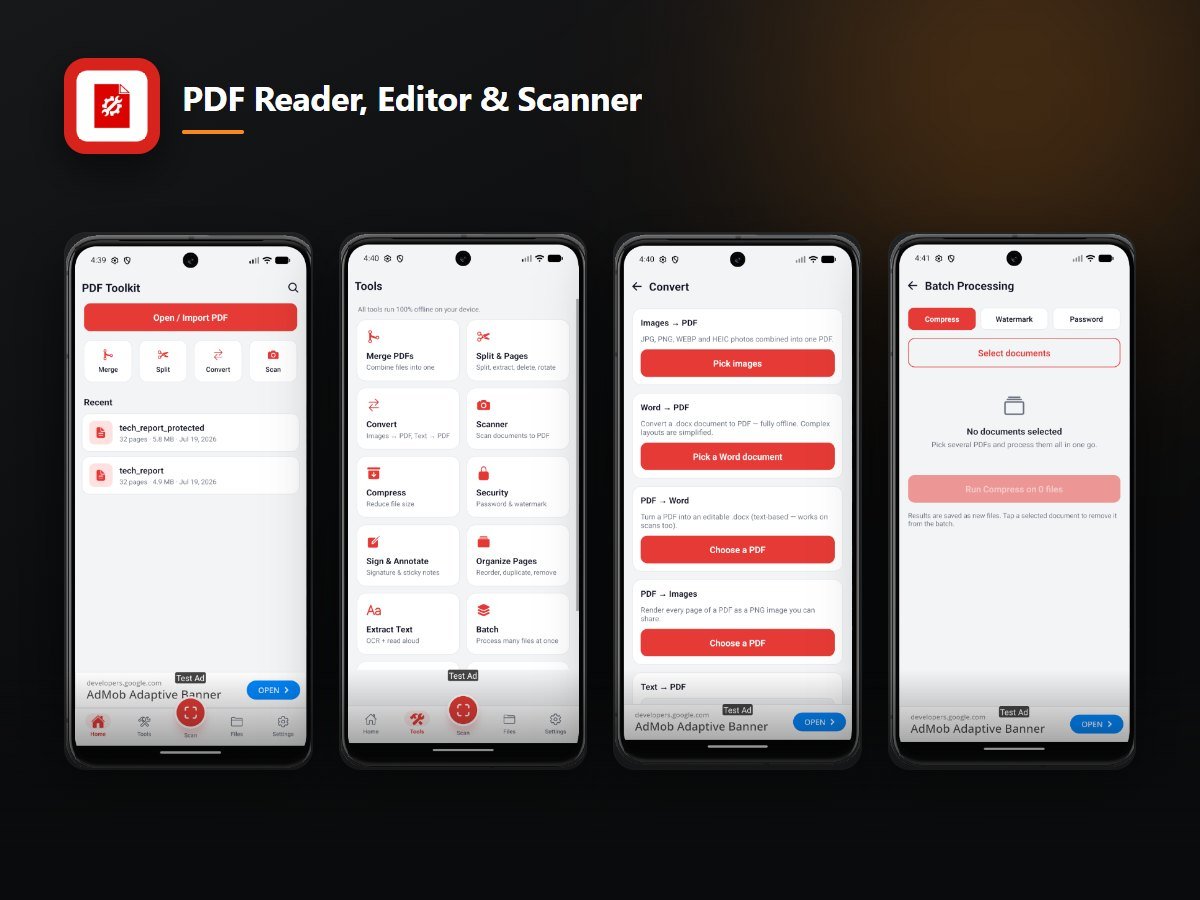
A complete PDF suite in one lightweight Android app — reader, scanner, editor, converter, OCR and signing — with every tool running on the device. No account, no cloud upload, no document ever leaves the phone.
The brief
Almost every PDF app on the store sends your file to a server to do the work. That is fine for a holiday itinerary and unacceptable for a contract, an ID card or a medical record. The brief was to do all of it locally.
What we built
- Reader — instant open, pinch zoom, night and sepia modes, bookmarks, in-document search, and support for password-protected files.
- Scanner — automatic edge detection, auto crop, de-skew and enhance, multi-page capture, straight to PDF.
- Editor — merge, split, extract, reorder, rotate, crop and number pages.
- Converter — images to PDF, PDF to image, DOCX to PDF and PDF back to editable DOCX.
- OCR — on-device text recognition from scans and photos, with copy, export and text-to-speech.
- Sign and protect — finger signature, annotations, AES password protection and watermarking.
- Compress — file size down by up to 90% at a quality level the user picks.
- Library — folders, rename, print, and a recycle bin that keeps deleted files recoverable for 30 days.
The engineering problem
Running OCR, DOCX conversion and AES encryption entirely on-device means every one of those pipelines had to be small enough to ship inside the APK and fast enough to feel instant on a mid-range phone. That constraint shaped the whole build.
Why it matters
"Nothing leaves your phone" is a claim you can only make if it is architecturally true. Here it is.
Want results like these?
Tell us the number you need to move and we will tell you honestly whether we can move it.